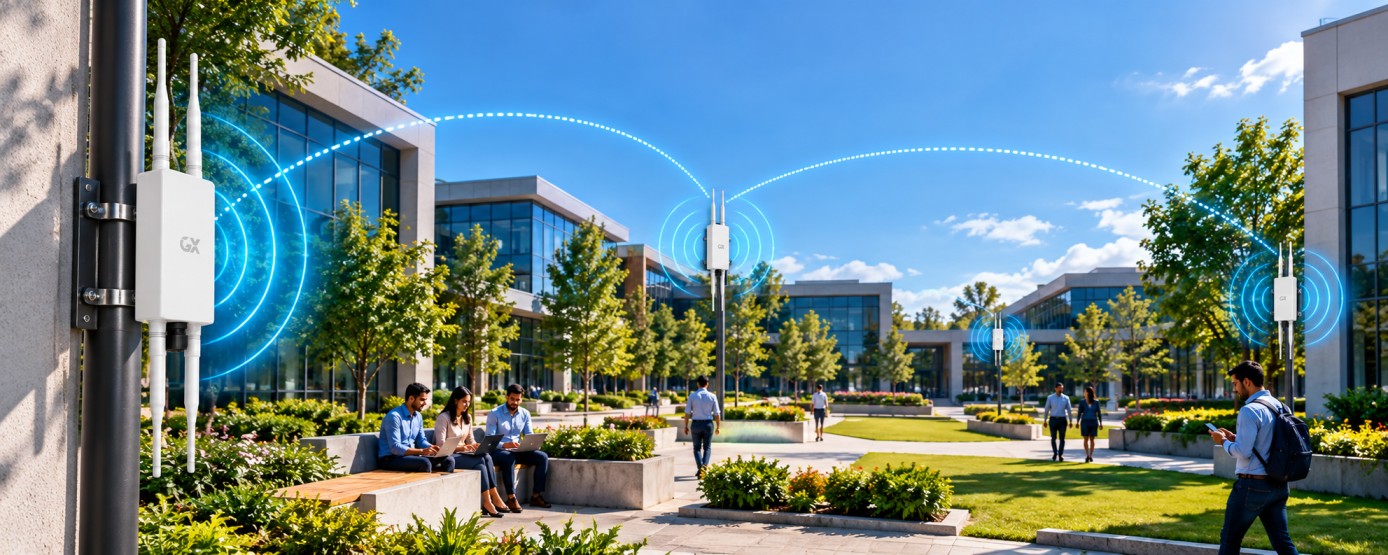
Discover how Wi-Fi 6 and Wi-Fi 7, high-performance antennas, weatherproof access points, seamless roaming, and centralized management enable reliable outdoor Wi-Fi.
In this article
- •Why Outdoor Wi-Fi Connectivity Matters
- •Start with Outdoor Network Planning
- •Leverage Wi-Fi 6 and Wi-Fi 7 Technology
- •Extend Coverage with High-Power Antennas
- •Choose Rugged, Weatherproof Hardware
- •Enable Seamless Roaming Across Outdoor Areas
- •Optimize Network Traffic Intelligently
- •Simplify Operations with Cloud-Based Management
- •Enable Centralized Monitoring and Management
- •Build a Scalable Outdoor Wi-Fi Architecture
- •Final Thoughts
Reliable outdoor Wi-Fi connectivity is becoming increasingly important for modern businesses, industrial facilities, campuses, warehouses, public spaces, and large commercial environments. From connecting employees across outdoor workspaces to supporting smart devices and real-time applications, businesses need wireless networks that deliver consistent performance over extended areas.
However, outdoor environments present unique challenges. Long distances, changing weather conditions, physical obstacles, interference, and high device density can affect wireless performance and reliability.
Building an effective outdoor Wi-Fi network requires the right combination of advanced wireless technology, high-performance antennas, weatherproof hardware, intelligent traffic management, and centralized network monitoring.
In this guide, we explore the key technologies and best practices for building scalable, reliable outdoor Wi-Fi networks using Wi-Fi 6 and Wi-Fi 7 solutions.
1. Why Outdoor Wi-Fi Connectivity Matters
Outdoor wireless connectivity plays a vital role in environments where traditional indoor networks cannot provide sufficient coverage. Business campuses, manufacturing facilities, logistics hubs, educational institutions, hospitality properties, and public venues often require dependable connectivity across large outdoor areas.
A well-designed outdoor Wi-Fi network enables employees to stay connected while moving between buildings, supports wireless-enabled equipment, and provides access to cloud-based applications from outdoor locations.
Reliable connectivity can also support smart infrastructure, surveillance systems, inventory operations, and digital services, depending on the network design and device requirements.
For organizations expanding their digital infrastructure, outdoor Wi-Fi provides the flexibility to extend enterprise connectivity beyond indoor workspaces.
2. Start with Outdoor Network Planning
Successful outdoor Wi-Fi deployment begins with understanding the environment and its connectivity requirements. Outdoor areas vary significantly in size, terrain, building layout, interference levels, and expected user density.
Before selecting access points, assess the coverage area, mounting locations, obstacles, expected number of connected devices, and applications that will use the network.
A detailed site survey helps identify potential dead zones, interference sources, and areas requiring additional coverage. It also helps determine suitable access point locations, antenna configurations, and backhaul requirements.
Consider the following factors during planning:
- Total outdoor coverage area and required signal quality.
- Expected number of simultaneous users and connected devices.
- Distance between access points and buildings.
- Mounting height, antenna direction, and physical obstructions.
- Available wired or wireless backhaul infrastructure.
- Weather exposure, power availability, and installation requirements.
A carefully planned deployment helps improve coverage, reduce interference, and support future network expansion.
3. Leverage Wi-Fi 6 and Wi-Fi 7 Technology
Modern Wi-Fi standards offer capabilities that help businesses build more efficient wireless networks.
Wi-Fi 6 introduces technologies such as OFDMA and enhanced multi-user communication to improve efficiency in environments with many connected devices. Wi-Fi 7 adds capabilities such as Multi-Link Operation (MLO) and wider channel support where permitted, helping compatible devices achieve improved performance and responsiveness under suitable conditions.
When deployed in appropriate outdoor environments, these technologies can support demanding applications, multiple simultaneous connections, and evolving enterprise connectivity needs.
The right technology depends on coverage requirements, client-device compatibility, spectrum availability, regulatory restrictions, and overall network capacity.
When evaluating outdoor Wi-Fi 6 and Wi-Fi 7 access points, consider supported frequency bands, throughput, antenna design, environmental ratings, power requirements, and network management capabilities.
Choosing the right platform helps organizations create a wireless infrastructure that can adapt to future connectivity demands.
4. Extend Coverage with High-Power Antennas
Outdoor Wi-Fi networks often need to cover larger areas than indoor deployments. Antenna selection and placement therefore play an important role in achieving the desired coverage and signal quality.
High-performance antennas can help direct wireless signals toward target areas and improve link performance when correctly matched to the access point and deployment environment.
Different antenna designs serve different purposes. Omnidirectional antennas can provide coverage around an access point, while directional antennas can focus energy toward a particular area or link.
For effective antenna planning, consider:
- Required coverage distance and direction.
- Antenna gain and radiation pattern.
- Mounting height and physical obstructions.
- Interference and line-of-sight conditions.
- Applicable transmit-power and regulatory limits.
Higher antenna gain does not automatically guarantee better coverage in every direction. Antenna selection should match the intended deployment and comply with local regulations.
With appropriate antenna planning, businesses can improve outdoor coverage while making more efficient use of their wireless infrastructure.
5. Choose Rugged, Weatherproof Hardware
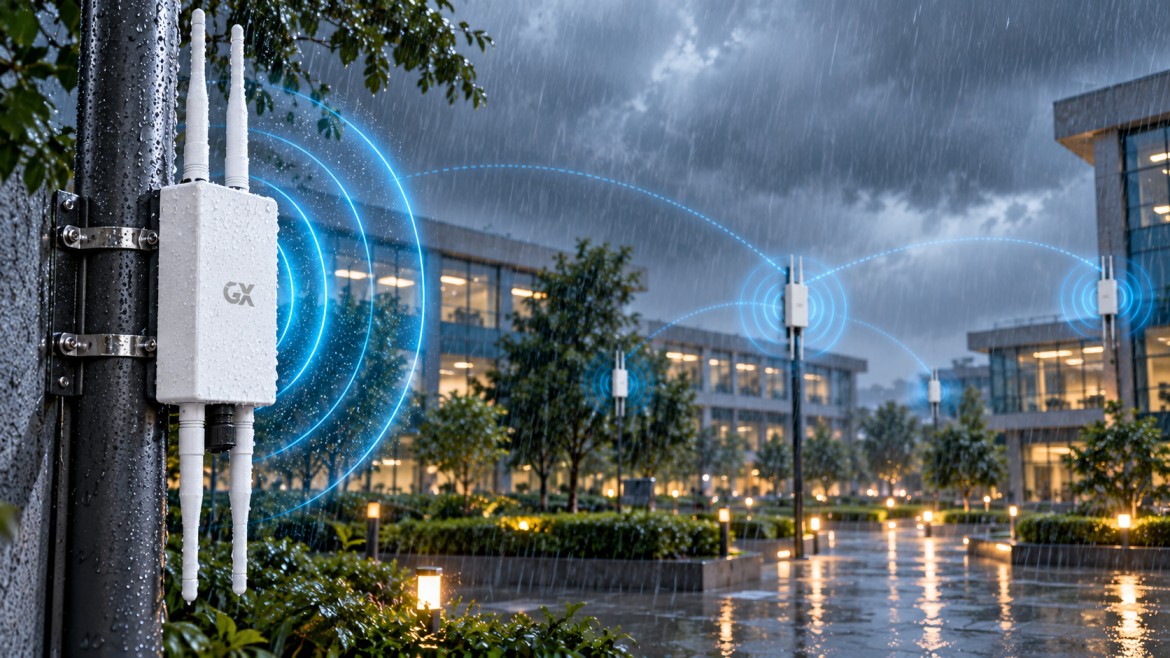
Outdoor networking equipment must withstand environmental conditions that indoor devices are not designed to handle. Rain, dust, humidity, temperature variations, and direct sunlight can affect equipment reliability if the hardware is not suitable for the installation environment.
Outdoor access points should use rugged enclosures with an appropriate Ingress Protection (IP) rating for the expected conditions. The required rating depends on exposure to dust, water, and other environmental factors.
When selecting outdoor wireless equipment, evaluate:
- IP-rated protection against dust and water.
- Supported operating temperature range.
- UV resistance and enclosure durability.
- Surge protection and grounding requirements.
- Mounting hardware and cable-entry protection.
- Power and Ethernet connectivity requirements.
Proper installation is equally important. Sealed cable entries, suitable mounting practices, and appropriate surge protection help reduce the risk of environmental damage.
Choosing durable, weather-resistant equipment helps maintain dependable connectivity across challenging outdoor locations.
6. Enable Seamless Roaming Across Outdoor Areas
Large campuses, industrial sites, resorts, and business parks often require users to move between different outdoor zones without repeatedly reconnecting to the network.
Seamless roaming helps compatible client devices transition between access points while maintaining network connectivity. A well-designed roaming environment depends on suitable coverage overlap, consistent network configuration, and appropriate security settings.
Features such as IEEE 802.11k and 802.11v can assist compatible clients in identifying and selecting suitable access points. IEEE 802.11r can help reduce authentication delays in supported deployments.
To improve the roaming experience, businesses should maintain consistent SSID and security configurations where appropriate, optimize access point placement, and test roaming performance with representative client devices.
The objective is to provide reliable connectivity as users move across outdoor workspaces, walkways, parking areas, and interconnected buildings.
7. Optimize Network Traffic Intelligently
Outdoor Wi-Fi networks may carry a wide variety of traffic, including video calls, cloud applications, surveillance feeds, business communications, and data from connected devices.
Without proper traffic management, congestion can affect latency-sensitive applications and reduce the overall user experience.
Intelligent traffic optimization helps network administrators manage bandwidth, prioritize important applications, and use available wireless capacity more effectively.
Useful capabilities may include Quality of Service (QoS), traffic classification, bandwidth policies, client load balancing, and radio-frequency optimization.
For effective optimization:
- Identify business-critical applications.
- Apply suitable traffic-prioritization policies.
- Monitor access point utilization and client distribution.
- Review interference and channel utilization.
- Adjust configurations as network demand changes.
Traffic optimization works best when combined with appropriate capacity planning and sufficient backhaul bandwidth. It helps businesses maintain more consistent performance as usage patterns evolve.
8. Simplify Operations with Cloud-Based Management
Managing multiple outdoor access points across large campuses or geographically distributed locations can become complex without centralized visibility.
Cloud-based network management enables administrators to configure, monitor, and manage supported access points through a centralized interface. Depending on the platform, it can simplify device onboarding, configuration updates, performance monitoring, and troubleshooting.
A centralized management platform can help IT teams maintain consistent network settings across multiple locations while reducing the need to configure every device individually.
Key capabilities to consider include:
- Centralized access point configuration.
- Remote monitoring and troubleshooting.
- Firmware and software update management.
- Client and network performance visibility.
- Role-based administrative access.
- Alerts for connectivity and device-health issues.
Cloud-based management can improve operational efficiency, particularly for organizations operating outdoor networks across multiple buildings, campuses, or sites.
9. Enable Centralized Monitoring and Management
Centralized monitoring provides visibility into the performance and health of the entire outdoor Wi-Fi infrastructure.
Rather than troubleshooting devices individually, network administrators can use a unified management platform to identify connectivity issues, track usage, review device status, and respond to network events.
Important monitoring indicators include access point availability, client connectivity, signal quality, channel utilization, throughput, latency, and authentication failures.
Centralized management also helps teams identify recurring issues and make informed decisions about capacity upgrades or access point placement.
For enterprise deployments, role-based access, secure administrative connections, configuration backups, and timely firmware updates can further strengthen network operations.
By combining monitoring with proactive maintenance, businesses can reduce troubleshooting time and maintain a more reliable wireless experience.
10. Build a Scalable Outdoor Wi-Fi Architecture
A reliable outdoor Wi-Fi network requires more than high-performance access points. It depends on the complete infrastructure connecting wireless devices to business applications and the internet.
A scalable architecture typically combines outdoor Wi-Fi access points, managed switches, suitable wired or wireless backhaul, network gateways, security policies, and centralized management tools.
Each component contributes to the overall experience. Access points provide wireless coverage, switching and backhaul infrastructure carry traffic, security controls protect network resources, and management platforms provide operational visibility.
When designing the architecture, account for future coverage expansion, increasing client density, uplink capacity, power availability, redundancy requirements, and centralized administration.
Organizations should also evaluate interoperability with existing network infrastructure and ensure that the selected access points and management platform meet their operational requirements.
A scalable design helps businesses extend connectivity to additional outdoor areas without unnecessarily rebuilding the entire network.
Final Thoughts
Building a reliable outdoor Wi-Fi network requires a combination of advanced wireless technology, careful planning, durable hardware, intelligent traffic management, and centralized monitoring.
Wi-Fi 6 and Wi-Fi 7 technologies can support evolving connectivity requirements, while high-performance antennas and appropriate access point placement help deliver coverage across outdoor environments. Rugged, IP-rated enclosures improve environmental protection, and effective roaming and traffic optimization help maintain a consistent user experience.
Cloud-based management and centralized monitoring further simplify operations by giving IT teams greater visibility and control over the network.
By combining these capabilities with a scalable network architecture, businesses can create an outdoor connectivity solution designed to support productivity, digital services, and future growth.
Looking to extend reliable connectivity across outdoor environments? Explore GX Group's enterprise networking solutions to discover access points, switching infrastructure, and network management capabilities suited to modern connectivity requirements.